

IPAM64
IPAM64 manages networks and fixed addresses for IPv4 and IPv6. It works together with DNS64: what is in IPAM64 is handed out by the DNS64 DHCP server and answered by the local DNS. Without DNS64, IPAM64 is plain IP management; without IPAM64, DNS64 stays unchanged.
From Node64 1.7.2. Switch it on under Settings → Modules → IPAM64. Off means: no menu entry, no background work. It is based on a draft from the community.
Switching on and setting up
- Switch on Settings → Modules → IPAM64.
- IPAM64 → Set up opens the wizard Set up from existing data. It suggests prefixes from the DHCP networks of DNS64 and the node's networks and takes over fixed addresses and A/AAAA records entered by hand in DNS64. They are tagged in DNS64, not created twice. Whatever doesn't fit – a second name for the same IP or a name that isn't a simple DNS label – stays manual and is listed with the reason.
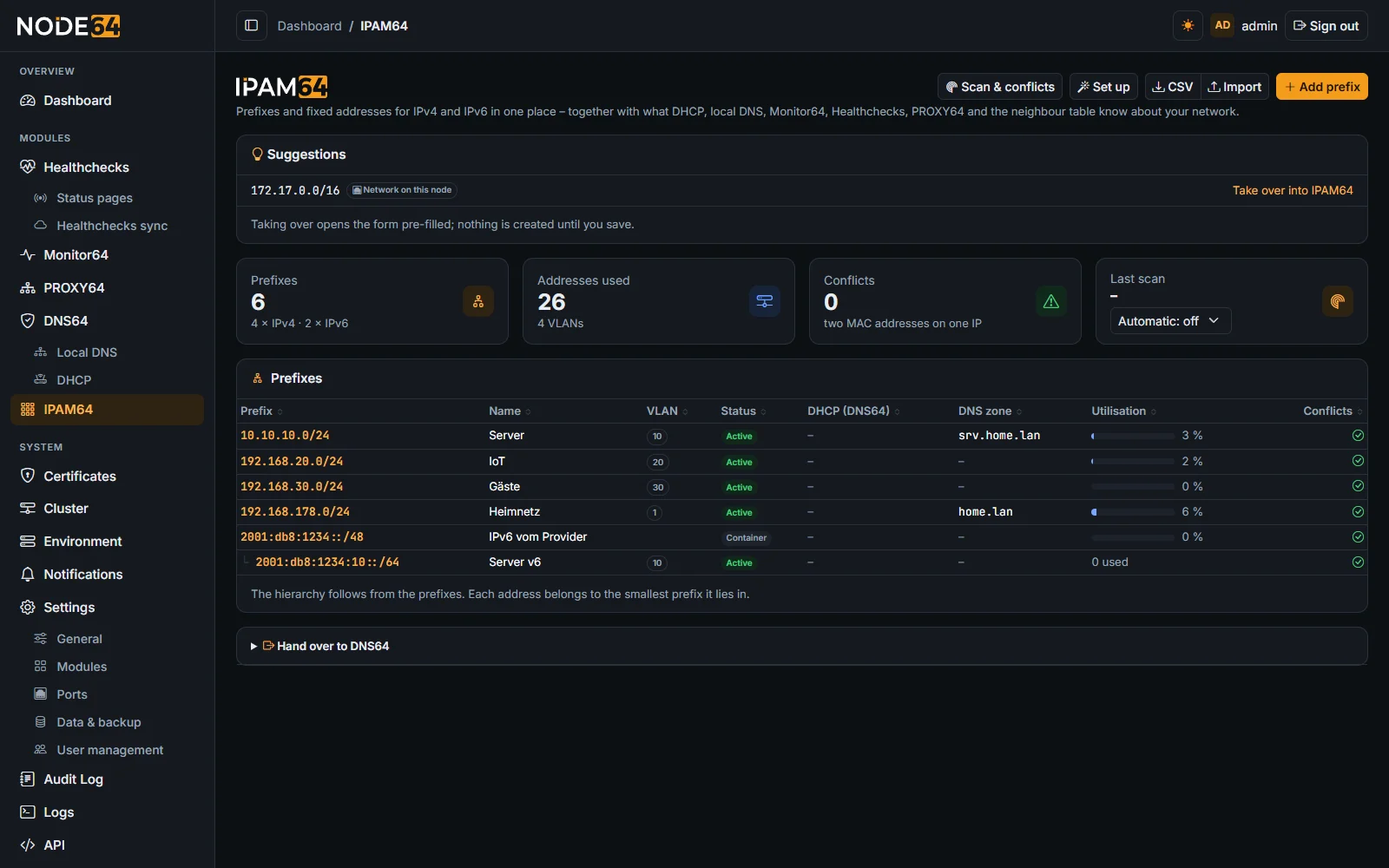
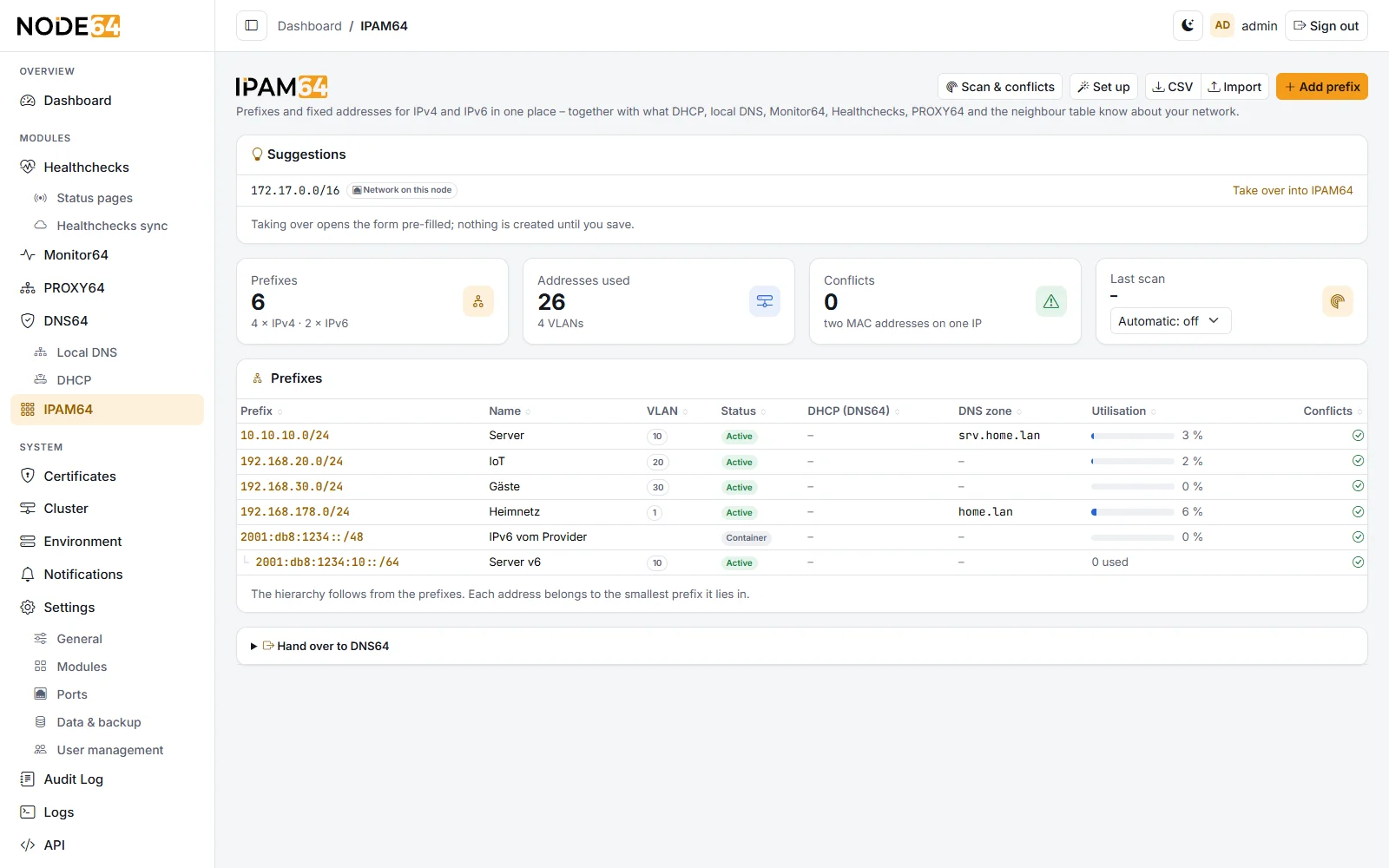
Prefixes, ranges, addresses
- Prefix: IPv4 from /8, IPv6 from /16. Prefixes may be nested; the tree follows from that. Status container (structure only), active, reserved or deprecated; plus VLAN, role, tags, DNS zone, “treat as full” and scan.
- Range: fixed addresses (where “next free address” searches) or keep free. The DHCP pool comes from DNS64.
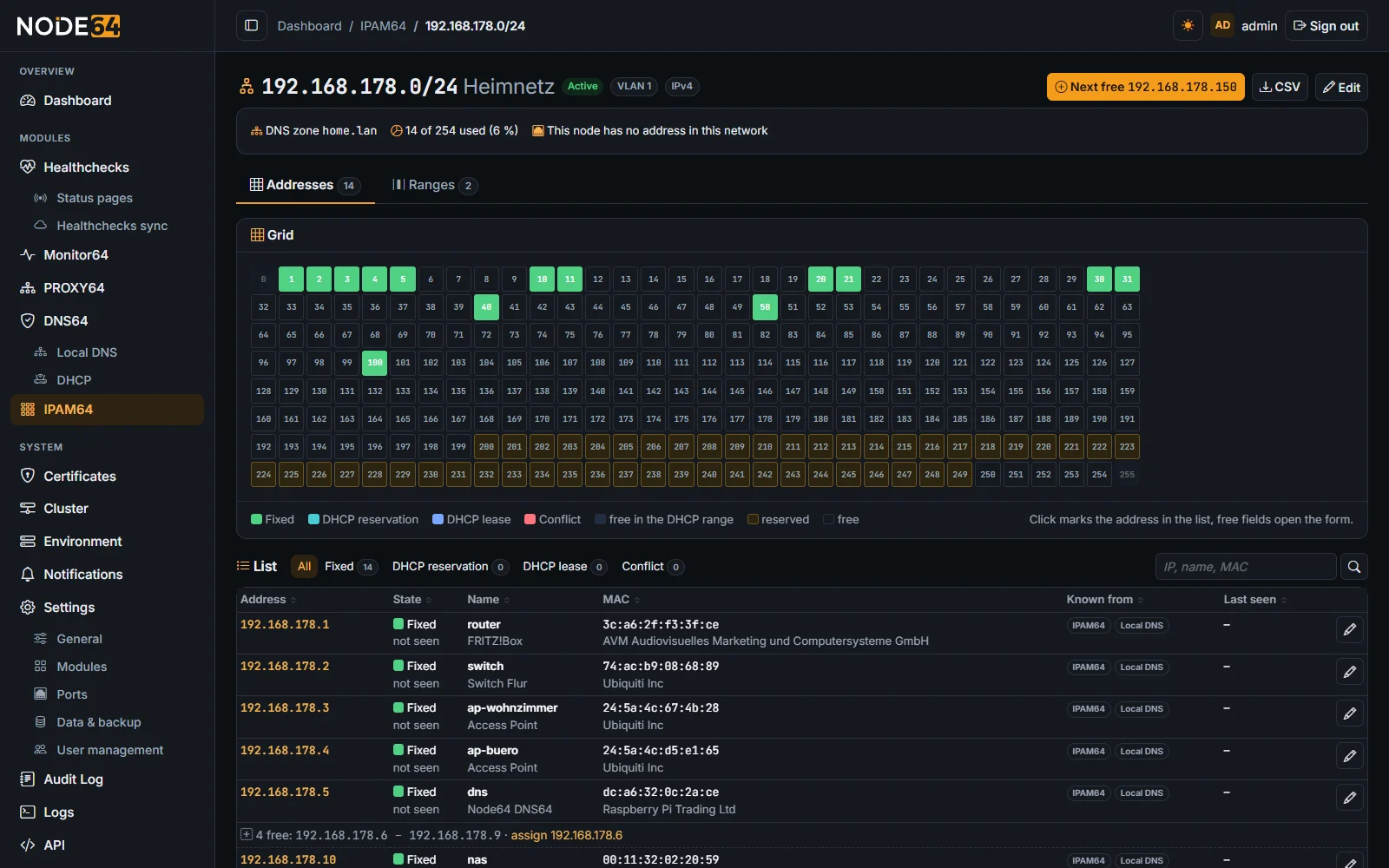
- Address: status, host name (one DNS label), role (gateway, DNS server, VIP, anycast), MAC, description, tags. Every address belongs to the smallest prefix it lies in.
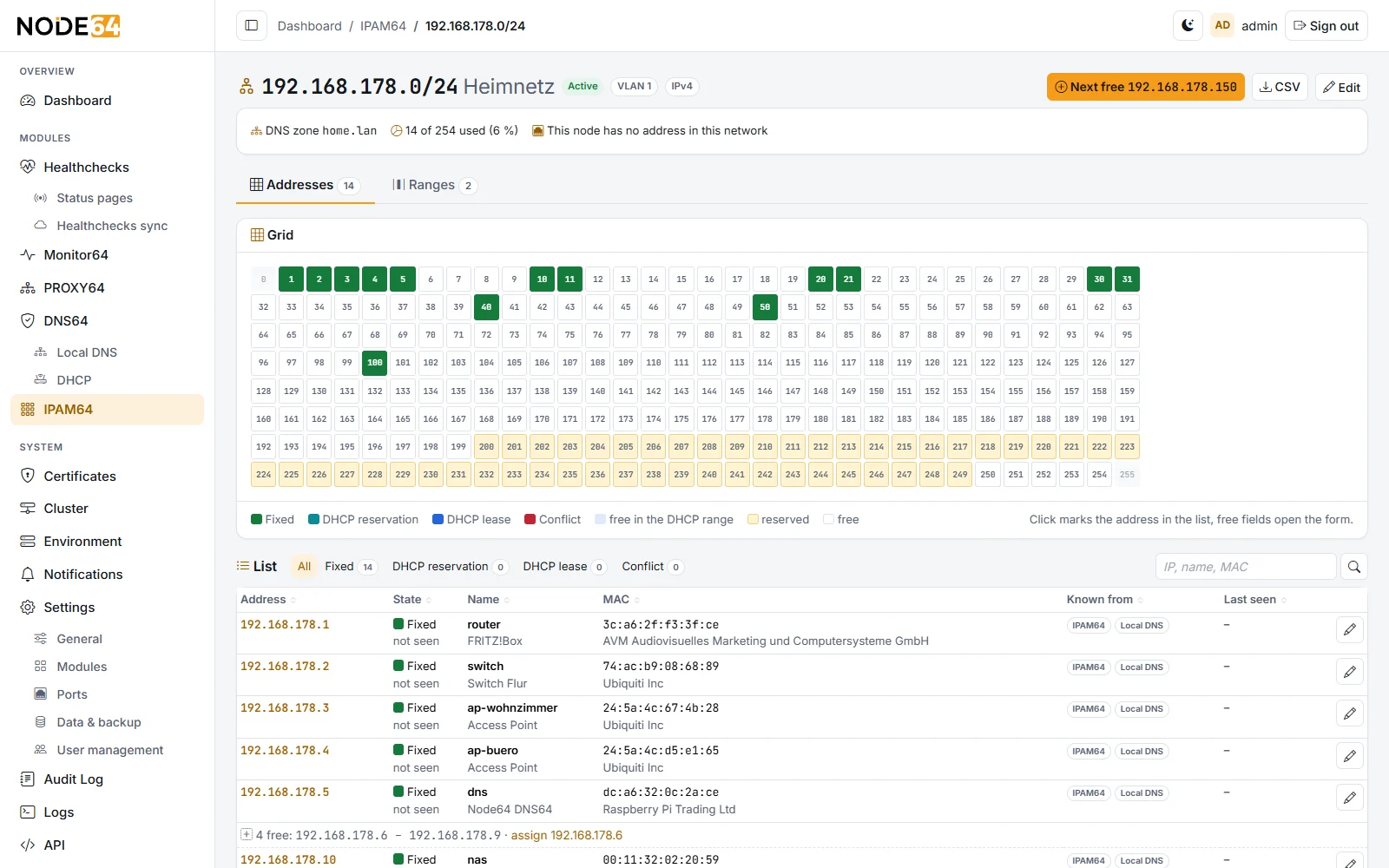
Grid and list: on the prefix page both are together in the Addresses tab, the ranges in a tab of their own. A click on a used field marks the row, pointing at a row highlights its field; filter and search highlight the matches in the grid. Large networks (IPv4 larger than /22, IPv6) get a block overview with at most 256 fields, coloured by usage – a click shows only that block in the list.
DHCP and DNS
On every address you can switch on:
- Local DNS record:
<host name>.<zone>as A or AAAA, PTR optional. The zone is set on the address, otherwise the prefix's zone or the DHCP network's domain applies; a child prefix without its own zone takes that of the parent prefix or DHCP network. - Fixed assignment: a reservation of the MAC in the DHCP network the address lies in (IPv4 only; there is no DHCPv6).
- A fixed address in the DHCP pool without a reservation is automatically excluded from handing out by DNS64 – also in a child prefix that lies in the DHCP network. “Next free address” never hands out addresses from the DHCP pool.
The card Effect in DNS64 shows what will be created or already exists. DNS64 checks the whole address before writing; if it refuses (MAC already assigned, CNAME on the name …), everything stays as it was, and the message says why. An identical entry made by hand is taken over and released again on an error, not deleted. In DNS64 these entries carry the tag “IPAM64” and can only be changed via IPAM64 there while IPAM64 is running. A sync every 10 minutes repairs deviations. While IPAM64 is running, “Make fixed address” on a DHCP lease creates the fixed address in IPAM64 right away.
IPAM64 → Hand over to DNS64 removes the tags; the entries stay in DNS64 and can be edited freely there again. In a cluster the other nodes release their entries at the next sync too. For handed-over addresses IPAM64 writes nothing to DNS64 until DNS or DHCP is switched on again for the address. Even without handing over, DHCP and DNS keep running, because the entries live in DNS64.
IPv6 from the provider
A global IPv6 prefix, such as the provider's /56, can be marked as dynamic. Prefixes inside it remember their prefix ID. If the provider changes the prefix, IPAM64 notices this from the node's addresses (every 2 minutes or at the push of a button) and updates prefixes, ranges, addresses and their AAAA records – all at once; if that fails, the old state stays. Only addresses on the interface on which the node was in the prefix count; a global address from WireGuard, Docker or a second connection doesn't interfere. Targets in PROXY64, Monitor64 and health checks that still point to the old prefix are named in the overview – DNS names are better there.
Scan & conflicts
- Neighbour table (ARP and NDP) of the node: every 2 minutes, only in networks the node is attached to. In a cluster each node sees its own networks.
- Network scan (optional, per prefix): one small UDP packet per address, then the neighbour table; only private IPv4 networks up to /22, in the background, automatically every 15 or 60 minutes or by hand.
- Conflicts: two devices alternately answer for the same IP (sightings overlap for more than 5 minutes, swapping a device doesn't count); a foreign MAC on a fixed address (after 5 minutes); the DHCP server handed out a fixed address; the same address was assigned on two nodes at the same time (24 hours). Hints: statically configured device in the DHCP pool, fixed address with DNS record not seen for 7 days, foreign DHCP server.
- Unknown devices (from the neighbour table only) can be taken over or ignored. The vendor comes from the built-in IEEE list; random MACs, e.g. from smartphones, are detected.
- Notifications via the node's channels: new conflicts (on by default), new devices (off by default).
Each address also combines what the other modules know about it: DHCP leases, local DNS, Monitor64, health checks and PROXY64. From Node64 1.7.10 addresses without a name get the host name from the router (via DNS64), e.g. with DHCP from a FRITZ!Box.
Import, export, API
- CSV export (overview or per prefix) and CSV import with preview. Columns for addresses:
ip, name, mac, status, role, description, tags, dns, dns_zone, ptr, dhcp; for prefixes:prefix, name, status, vlan, role, description, tags, dns_zone, scan, dynamic. Comma or semicolon; your own export can be read back in. At most 10,000 rows (2 MB) per file; 10,000 addresses with DNS record take about half a minute. A broken line shows up as an error in the preview, the rest is read. - API
/api/ipam64/…: prefixes, ranges, addresses (paginated), free addresses and allocation in one go (POST /api/ipam64/available), conflicts, scan. Allocation in one go only holds per node: if two nodes allocate the same address at the same time, one entry wins and the other node shows the conflict “Address … assigned on two nodes” for 24 hours – so in a cluster, do automatic allocation (API, scripts) via one node. Description under API in the node, see API. - Prometheus under
/api/metrics:node64_ipam64_*– usage and utilisation per prefix, conflicts, unknown devices, see Prometheus. - MCP (read-only): area IPAM64 with
ipam64_overview,ipam64_addresses,ipam64_conflicts,ipam64_available, see MCP.
Cluster
Prefixes, ranges and fixed addresses are synced in the cluster (areas under Cluster → IPAM64, on by default). Sightings, scan and ignored devices stay per node. The entries in DNS64 come via the DNS64 sync – so the DHCP standby node and nodes without IPAM64 also have all reservations and records.
Something unclear, missing, or a question about Node64? Ask in the official forum v64.tech.

