 DNS filtering for your whole network
Fewer ads.
Less tracking. Encrypted DNS.
DNS64 is the caching DNS server built into Node64. It filters ads, trackers and malware with blocklists for every device on your network – smart TVs, consoles and phone apps included. Upstream, it only ever talks encrypted via DoH, DoT or DoQ. An alternative to Pi-hole and AdGuard Home, right inside the Node64 container.
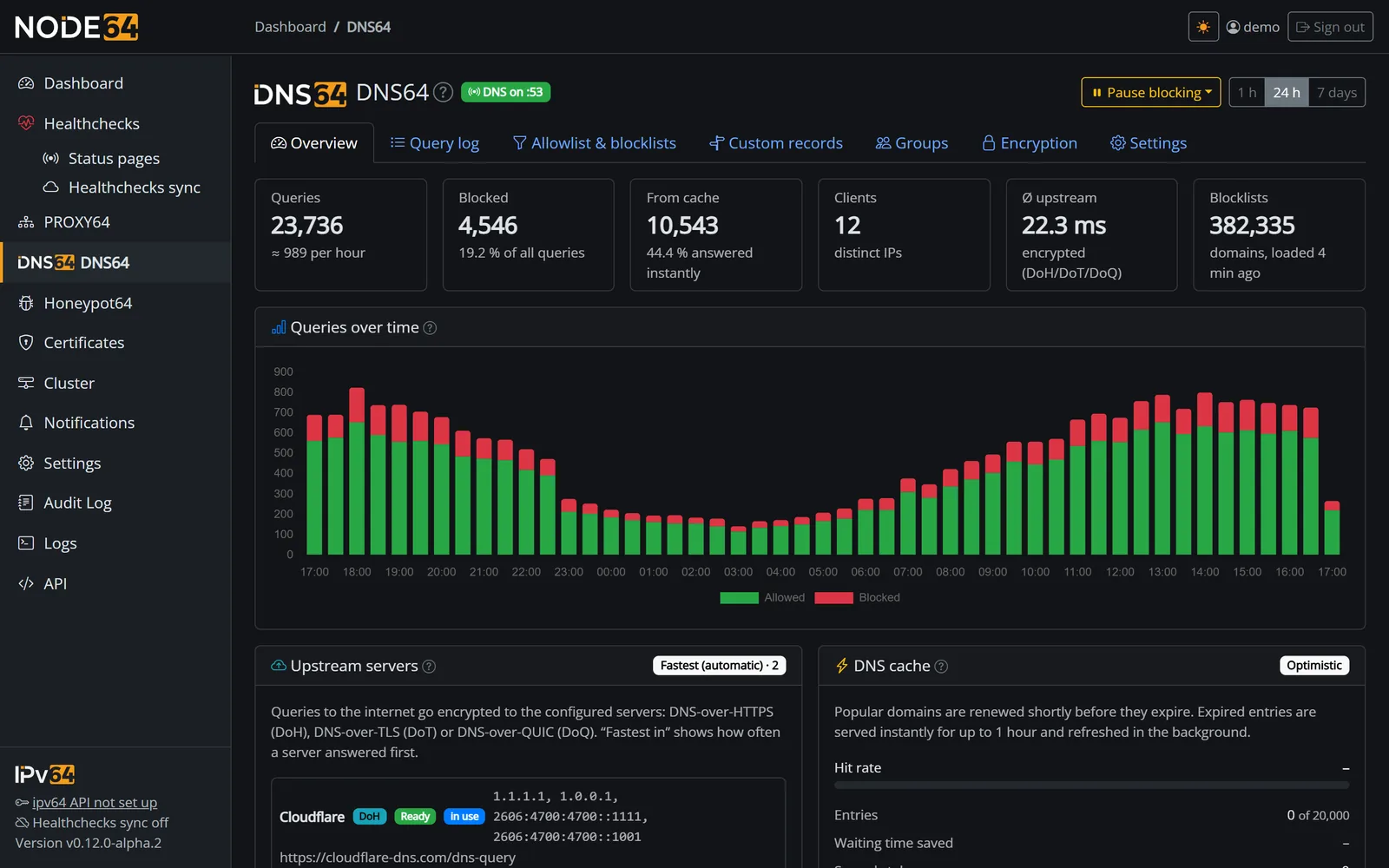
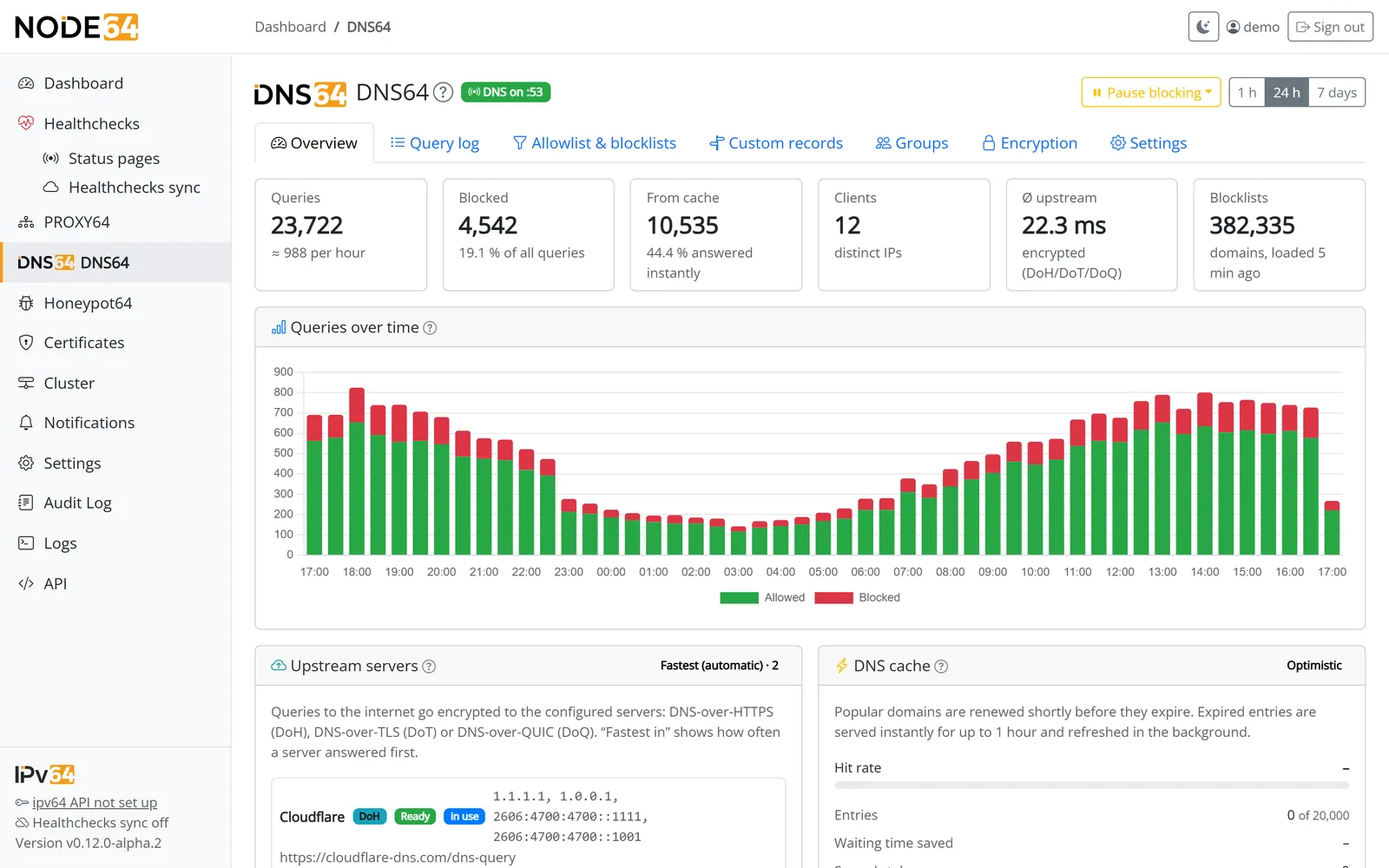
What DNS64 does for your network
Set it as the DNS server in your router once – from then on, every name lookup on your network goes through DNS64. No app, no browser extension, no per-device setup.
Blocklists ready to go
StevenBlack, AdGuard DNS filter, OISD, HaGeZi, EasyPrivacy and URLhaus are active right away. 23 more presets a click away – stronger ad filtering, security, device tracking (Samsung, Apple, Amazon …), blocking third-party DoH/VPN services and parental control – or bring your own list URL in hosts, plain domain or Adblock format. Own rules per device group – e.g. block social networks and games just for the kids, enforce SafeSearch for Google, Bing, DuckDuckGo and YouTube, and stop bypassing via DoH, VPN or iCloud Private Relay. With schedules and the "Block" button, the internet can also be switched off for the evening.
Trackers behind CNAMEs
Some trackers hide behind an innocent-looking name on the site's own domain. DNS64 also checks the CNAME chain of every answer and blocks whatever is on a list.
Encrypted upstream
Queries to the internet only go out via DNS-over-HTTPS, DNS-over-TLS or DNS-over-QUIC – to Cloudflare, Quad9, Google, AdGuard, Mullvad, European resolvers such as DNS4EU, dnsforge, Freifunk München and Digitalcourage, or your own servers, with certificate checks. No plain-text DNS.
Encrypted at home, too
Your devices can query DNS64 itself via DoH, DoT or DoQ. iPhone, iPad and Mac get a ready-made profile to download; Android "Private DNS" works with Let's Encrypt.
Your own LAN names
A, AAAA, CNAME and more, wildcards like *.home.lan included – with matching reverse lookups. Local names such as fritz.box or nas only go to your router, never to the internet.
Fast thanks to caching
An optimistic cache with 20,000 entries (adjustable). The "Fastest (automatic)" mode keeps measuring your upstreams and only asks the ones that are currently quickest.
Stats & query log
Charts for the last hour, 24 hours or 7 days, top blocked and allowed domains, top clients. In the live log, one click allows a domain – or blocks it for all devices.
Secure by design
Not an open resolver: DNS64 only answers private and your own networks. It runs without root in a container with no operating system, and client IPs in the log can be shortened or not stored at all.
Local DNS
A menu item of its own: DNS64 becomes the authoritative DNS server for home.lan – with SOA, TXT, MX, SRV, PTR and CAA, BIND zone files and dynamic updates from your DHCP server.
Device names, automatically
Devices from your groups are named tablet-lea.home.lan on their own – with their current IP and reverse lookup.
Forwards
company.local to the VPN DNS, reverse zones to the router – via IP, DoT, DoH or DoQ. Internal names never go to the internet.
In the cluster
Blocklists, records, forwards and device groups the same on all nodes – each area switchable on its own, records for one node only if you like.
One clear path for every query
Your devices ask DNS64 – unencrypted on port 53 or encrypted via DoT, DoQ and DoH. DNS64 answers every query in a fixed order:
- Check the network
Only devices on your networks get an answer. - Custom records, zones & local names
Your LAN names come first;fritz.boxand friends are only sent to the router or your forward. - Blocklists
Listed domains get0.0.0.0or::– or NXDOMAIN if you prefer. - Forwards, cache, then encrypted to the internet
Company or VPN domains go to your own DNS servers; everything else comes from the cache or goes to the upstreams via DoH, DoT or DoQ.
  # Home network                                             # Internet
 ┌────────────┐              ┌───────────────────┐
 │ PC · Mac   │  DNS     53  │      Node64       │  DoH · DoT · DoQ
 │ Phone · TV │ ───────────► │      DNS64        │ ═══════════════════╗
 │ Tablet     │  DoT/DoQ 853 │                   │  encrypted         ║
 │ Console    │  DoH     443 │ 1 network ok?     │                    ▼
 │            │ ◄─────────── │ 2 custom records  │  ┌──────────────────────┐
 └────────────┘    answer    │ 3 local zones     │  │ Cloudflare · Quad9   │
                             │ 4 local names     │  │ Google · AdGuard     │
                             │ 5 blocklists      │  │ Mullvad · your own   │
                             │ 6 forwards        │  └──────────────────────┘
                             │ 7 cache           │
                             │ 8 upstream        │
                             └─────────┬─────────┘
                                       │ local names, forwards
                                       ▼
                                 ┌──────────────────────────┐
                                 │ router · your own servers│
                                 └──────────────────────────┘
"DNS64" is simply the module's name. It does not perform NAT64 synthesis as in RFC 6147 – it is a DNS filter and resolver.
The big picture – and every detail
See live which domains your devices look up, what gets blocked and why. And if a site breaks, allow the domain and its subdomains straight from the log.
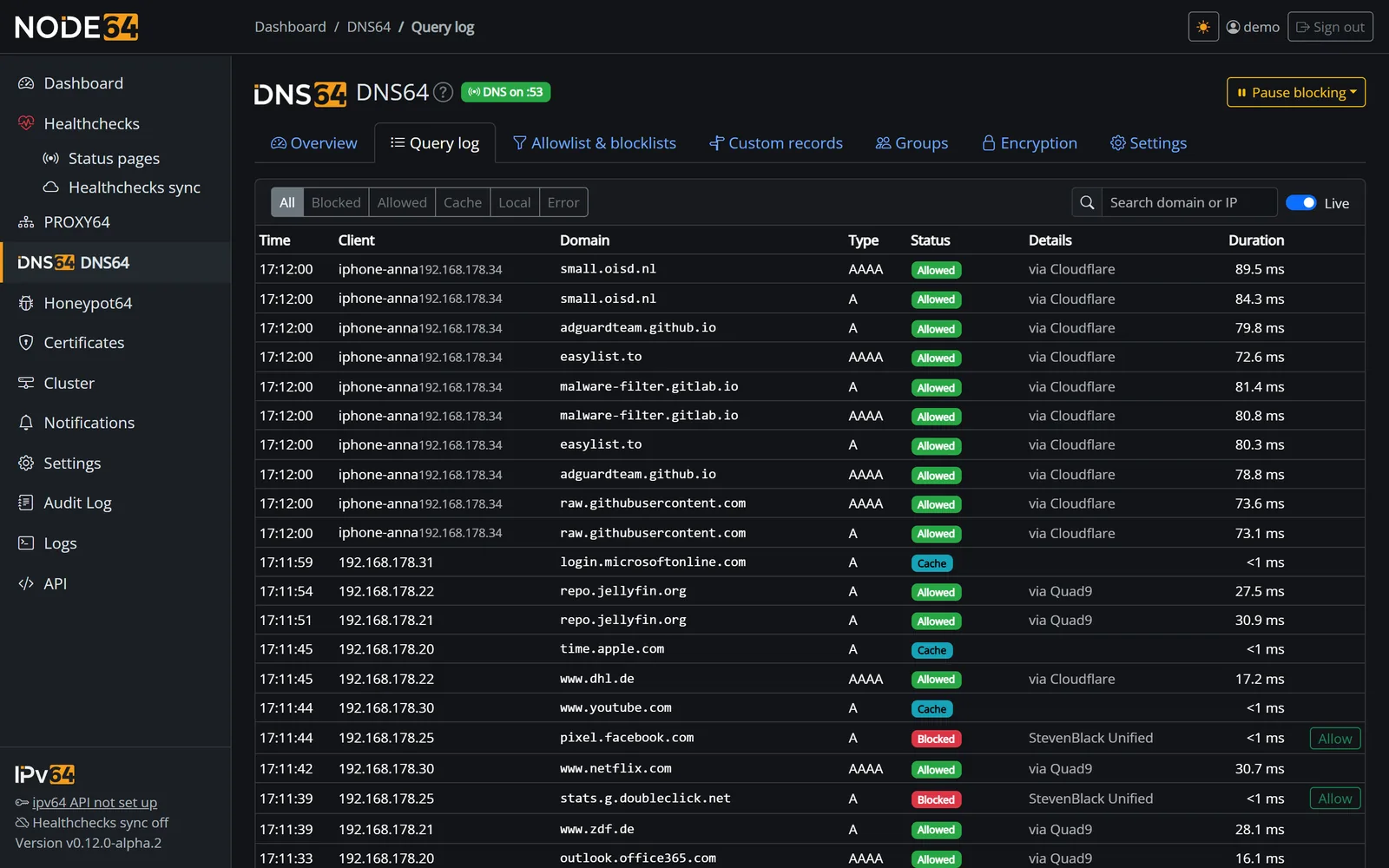
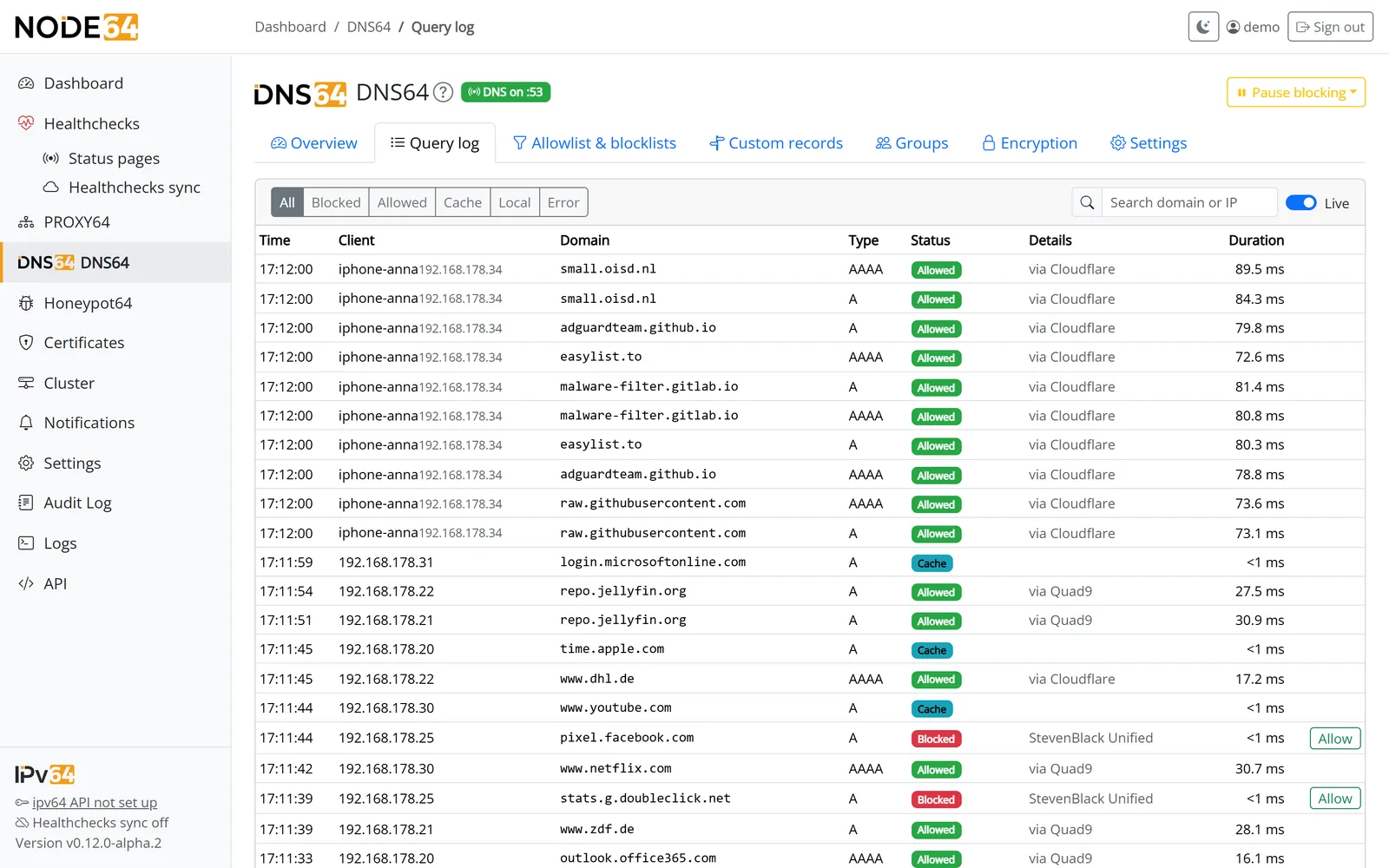
Query log: filter by blocked, allowed, cache, local or error, search by domain or IP, protocol per query (UDP, TCP, DoH, DoT, DoQ).
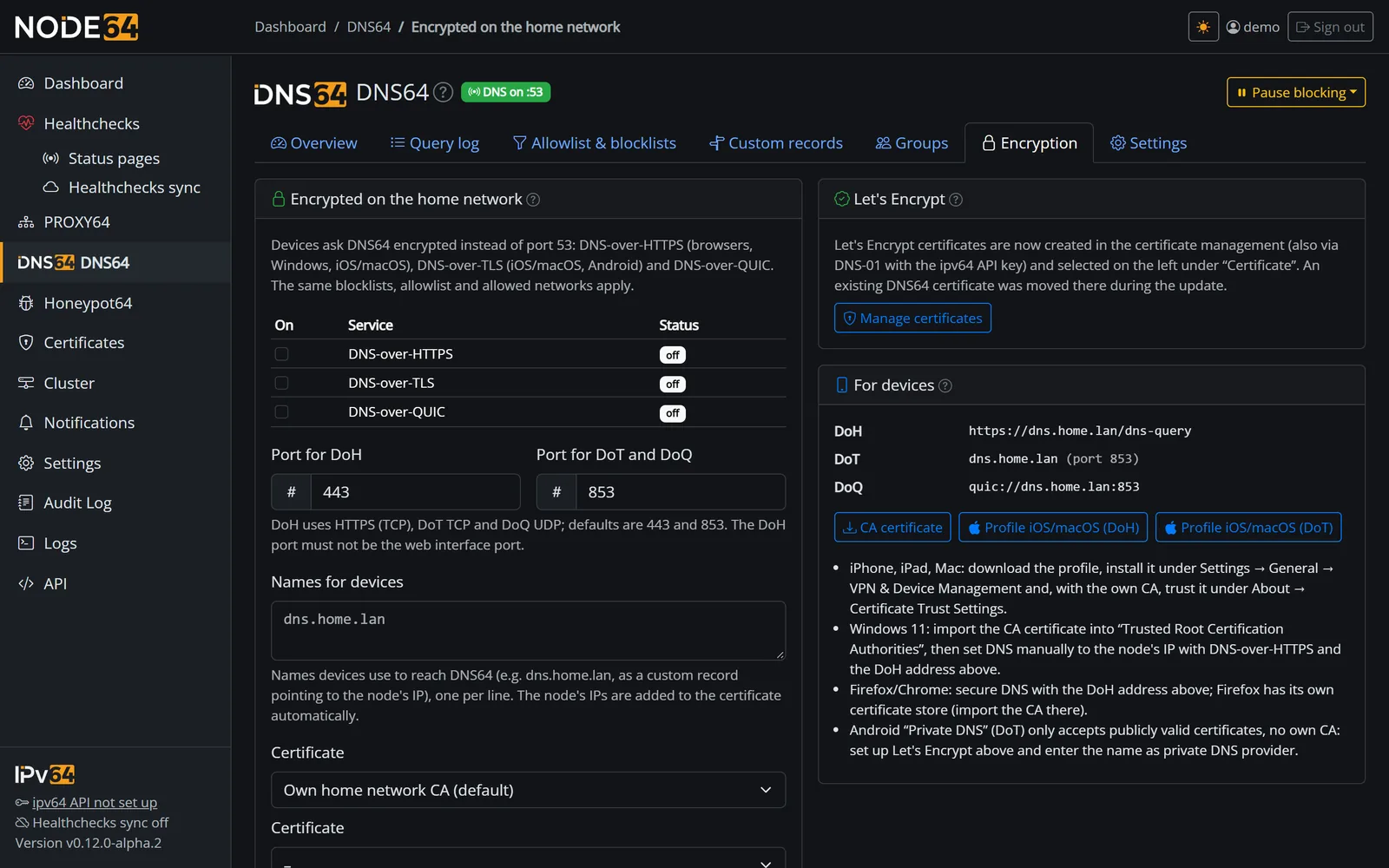
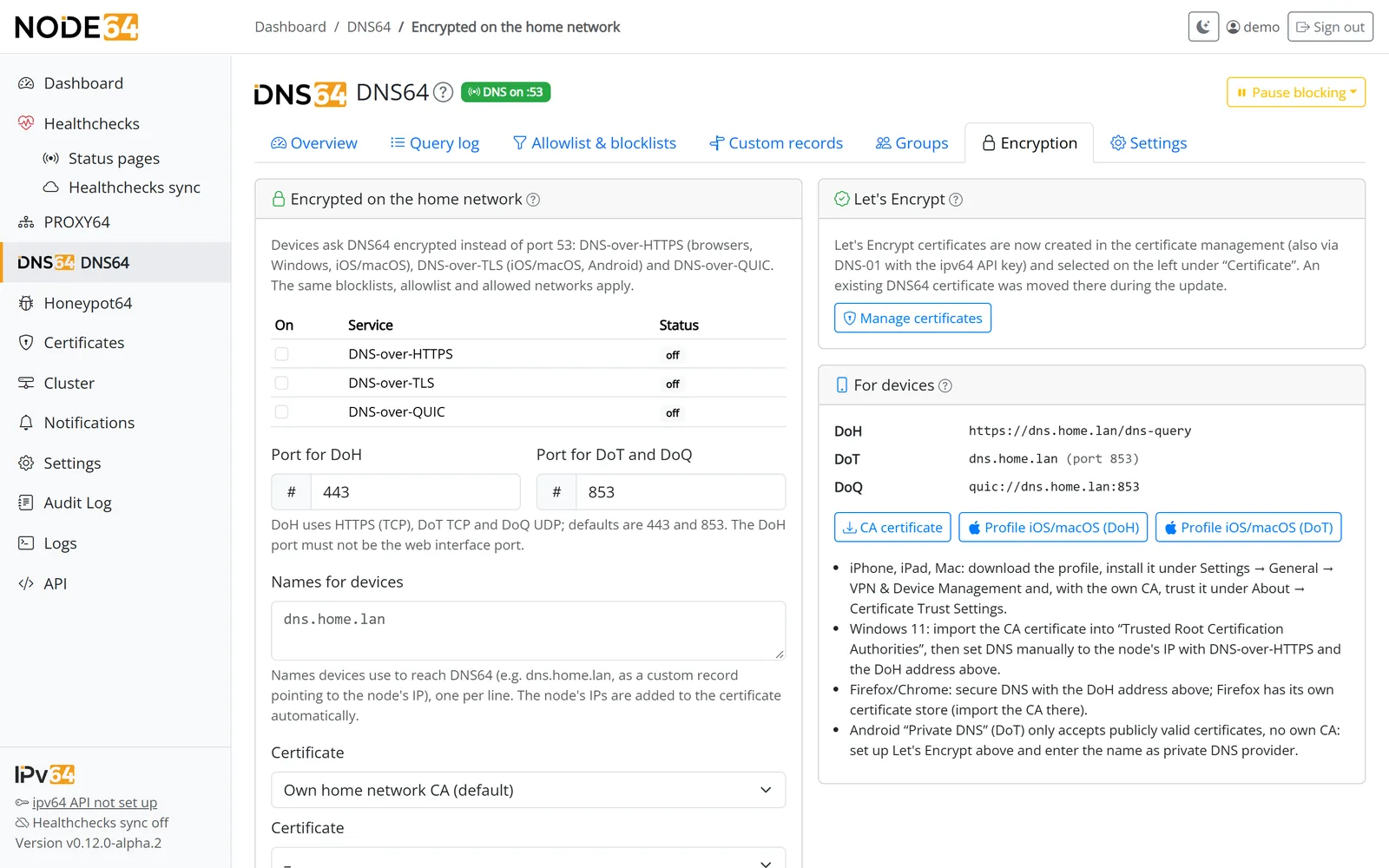
The "Encryption" tab: switch DoH, DoT and DoQ on individually, pick a certificate, download the CA certificate and the Apple profile.
Switching made easy
If you already know a DNS filter like Pi-hole or AdGuard Home, you'll feel right at home. Much of what you're used to comes along with you:
| What you need | In DNS64 |
|---|---|
| Blocklists in hosts format or one domain per line | supported |
Filter lists in Adblock syntax (||domain^, @@||domain^) | DNS-relevant part |
| Your existing whitelist or allowed domains | just paste it |
Answer 0.0.0.0 / :: or NXDOMAIN | your choice |
| Pause blocking for a moment | 10 min or until resumed |
| Encrypted upstream only | always, no extra service |
| Same UI, notifications and backups as health checks & PROXY64 | all in Node64 |
By the numbers
* Internal test on our own hardware; your numbers depend on your device and network.
Frequently asked questions
Everything else is explained step by step in the DNS64 docs and the FAQ.
0.0.0.0/0, ::/0) is rejected.network_mode: host) so DNS64 sees the real device IPs and finds the router for local names on its own.Your network, your DNS
Install Node64, switch on DNS64, enter it in your router – done. The public image is coming soon.
Goes well with: DynDNS64 keeps your ipv64.net domains up to date, PROXY64 & CDN64 put your services online securely.

