

Online without port forwarding.
Even behind DS-Lite and CGNAT.
CDN64 brings services from your home network to the internet without opening a port on your router. Your node builds an encrypted tunnel to two ipv64.net edge servers in Nuremberg and Falkenstein – visitors arrive there and are passed on to you. The Cloudflare Tunnel alternative from Germany – with protection on the edge servers, an emergency brake and a port mapper for TCP and UDP, switched on with one click in PROXY64.
  Your home network                       ipv64 edge servers (Germany)
 ┌────────────────┐                     ┌──────────────────────────┐
 │                │ ════ tunnel 1 ═════►│ Nuremberg                │
 │     Node64     │                     └──────────────────────────┘
 │                │                     ┌──────────────────────────┐
 │                │ ════ tunnel 2 ═════►│ Falkenstein              │
 └────────────────┘                     └──────────────────────────┘
  Router: no open port                            ▲
                                                  │ visitors arrive here
                                                  │ (over IPv4 and IPv6)
From the inside out – that's why the router stays closed
For your router the tunnel is an ordinary outgoing connection, just like opening a website. A visit then goes like this:
- DNS
ipv64 answers with the addresses of both edge servers – you don't enter anything. - Edge server
One server accepts the connection and only checks which name it is for. - Tunnel
It sends it through the open tunnel to your node – with the real visitor IP. - PROXY64
Access lists, limits, blocklists, statistics and log work as in your home network; your service answers.
Mode 1 – passthrough Default
The edge server only reads the name and passes the encrypted connection on. Certificate and key stay in your node, ipv64 sees no content – with HTTP/3 too.
 Visitor          ipv64 edge server       Node64 (home)
 ┌─────────┐      ┌───────────────┐       ┌───────────────┐   ┌─────────┐
 │ Browser │ TLS  │ reads SNI     │ QUIC  │ Node64        │   │ Service │
 │IPv4/IPv6│─────►│ only, does    │══════►│ TLS ends here │──►│         │
 └─────────┘      │ not decrypt   │tunnel │ certificate,  │   └─────────┘
                  └───────────────┘       │ limits, log   │
                                          └───────────────┘
Mode 2 – terminate at the edge
TLS ends on the edge servers. They fetch the certificate themselves and filter before traffic reaches your connection – useful with a small upload. Switch with a button, no DNS change.
 Visitor          ipv64 edge server       Node64 (home)
 ┌─────────┐      ┌───────────────┐       ┌───────────────┐   ┌─────────┐
 │ Browser │ TLS  │ TLS ends here │ QUIC  │ Node64        │   │ Service │
 │IPv4/IPv6│─────►│ certificate,  │══════►│ request as    │──►│         │
 └─────────┘      │ limits, 429   │tunnel │ HTTPS, real   │   └─────────┘
                  └───────────────┘       │ visitor IP    │
                                          └───────────────┘
Why CDN64
No port forwarding, no DynDNS fiddling, no worries about open ports – and still everything stays in your hands and in Germany.
Any connection
DS-Lite, CGNAT, mobile, IPv4 only or IPv6 only: since the node connects from the inside, it works wherever websites open. Visitors still reach you via IPv4 and IPv6.
Your encryption
In mode 1 TLS ends only in your node. Paths, headers, cookies and content stay invisible to ipv64 – you decide whether to give that up for mode 2.
Two servers, one name
DNS names both edge servers, visitors spread out automatically. If a server fails, the other takes over; if a tunnel is missing, the neighbouring server passes visitors on. With Business and Company it's even four parallel connections per server – roughly two to two and a half times as fast, with load spread down to the CPU cores of your node, and resilience.
Protected twice
Coarsely on the edge servers – Spamhaus DROP, limits per IP, abuse protection –, finely in your node with rate limits, blocklists, country block and access lists. With the real visitor IP.
One click with self-test
Click “Switch on” in PROXY64's host list: account check, tunnel, name switch-over, probe over the internet – every step with result and fix.
ipv64 switches DNS
No CNAME, no editing: when switched on, the name points to the edge servers; when switched off, the old record returns. At home DNS64 answers the name locally – the traffic stays home.
Fair and fast
QUIC over UDP, fallback to TCP. Nobody is cut off, throttling only starts at 80 % load – and then fairly. In tests the tunnel used the line's full upload. The node compresses responses with zstd or Brotli – which saves traffic.
You hear first
If the tunnel is down to all servers for 3 minutes or ipv64 blocks a name, Node64 alerts you on your channels. Optionally the node creates an online health check right away.
Sovereign
Edge servers in Germany, operator in Germany, GDPR. No tunnel through a US provider. More under Sovereignty.
Emergency brake
Pause a name during an attack: the servers immediately stop accepting anything and drop open connections – and your IP still stays hidden. Resume with the same button.
TCP and UDP
SSH, WireGuard, game servers or the Proxmox web interface: the port mapper passes raw ports through the tunnel to a stream in PROXY64 – without an open port at home.
Even without Node64
If your server is already public, the edge servers go there directly in mode 3 – with cache, compression and port mapper. You still see and pause all names in PROXY64.
Protected before anything reaches your door
Just like with Cloudflare, a shield stands in front of your connection – only this one is in Germany. Anything that clearly looks like an attack ends on the edge servers. The rest reaches you with the real visitor IP, and PROXY64 decides in detail per host.
- Emergency brake: one click on Pause and the servers stop accepting anything for the name – open connections are dropped, DNS stays on the servers, your IP stays hidden.
- Stronger together: whatever your Honeypot64 or the community identifies as an attacker, PROXY64 blocks immediately.
- No kick-out for heavy traffic: throttling only starts under real overload, and then it's fair.
  Visitors, bots, attackers
                           │
                           ▼
 ┌──────────────────────────────────────────────────┐
 │ ipv64 edge servers · Germany                     │
 │ • Spamhaus DROP: hijacked networks are out       │
 │ • per IP at most 256 connections, 50 new/s       │
 │ • pause: emergency brake per name, IP hidden     │
 │ • fair throttling from 80 % load, no one cut     │
 └─────────────────────────┬────────────────────────┘
                           ║  encrypted tunnel, real visitor IP
 ┌─────────────────────────╨────────────────────────┐
 │ Node64 · PROXY64 in your home network            │
 │ • Honeypot64 instant block, ipv64 blocklists     │
 │ • country block, rate limits per host            │
 │ • access lists, block common exploits            │
 └─────────────────────────┬────────────────────────┘
                           ▼
                       Your service
Not just websites: SSH, WireGuard, game servers
With the port mapper, the edge servers open a port between 50000 and 62000 and pass TCP or UDP on raw – reachable as name:port. It goes through the tunnel to your node or directly to a public server.
Modes 1 and 2 – through the tunnel no port open
Create a stream in PROXY64 and pick “Reachable from the internet via CDN64”. Your router stays closed, your IP stays hidden, and blocklists, per-IP limits and country blocks apply with the real visitor IP.
 Visitor           ipv64 edge server         Node64 (home)
 ┌───────────┐     ┌──────────────┐          ┌──────────────┐   ┌──────────┐
 │ SSH,      │ TCP │ port 55349   │  QUIC    │ stream in    │   │ NAS,     │
 │ WireGuard,│────►│ blocklist,   │═════════►│ PROXY64,     │──►│ Proxmox, │
 │ game      │ UDP │ limits per IP│  tunnel  │ real IP      │   │ server   │
 └───────────┘     └──────────────┘          └──────────────┘   └──────────┘
  name.ipv64.net:55349                        Router: no port open
Mode 3 – straight to the target, without Node64
If your server is already publicly reachable, the edge servers connect to it directly – with a cache for websites and the port mapper for everything else. Set up on ipv64.net/cdn64.
 Visitor           ipv64 edge server                Your server
 ┌───────────┐     ┌──────────────┐                 ┌───────────────┐
 │ browser,  │ TCP │ cache,       │  directly, no   │ website,      │
 │ app,      │────►│ port mapper, │────────────────►│ game server   │
 │ game      │ UDP │ blocklist    │  tunnel         │ public        │
 └───────────┘     └──────────────┘                 └───────────────┘
                                                     port open at target
What does ipv64 see?
Both modes compared. With HTTPS, mode 1 is end-to-end encrypted – plain HTTP is readable as everywhere.
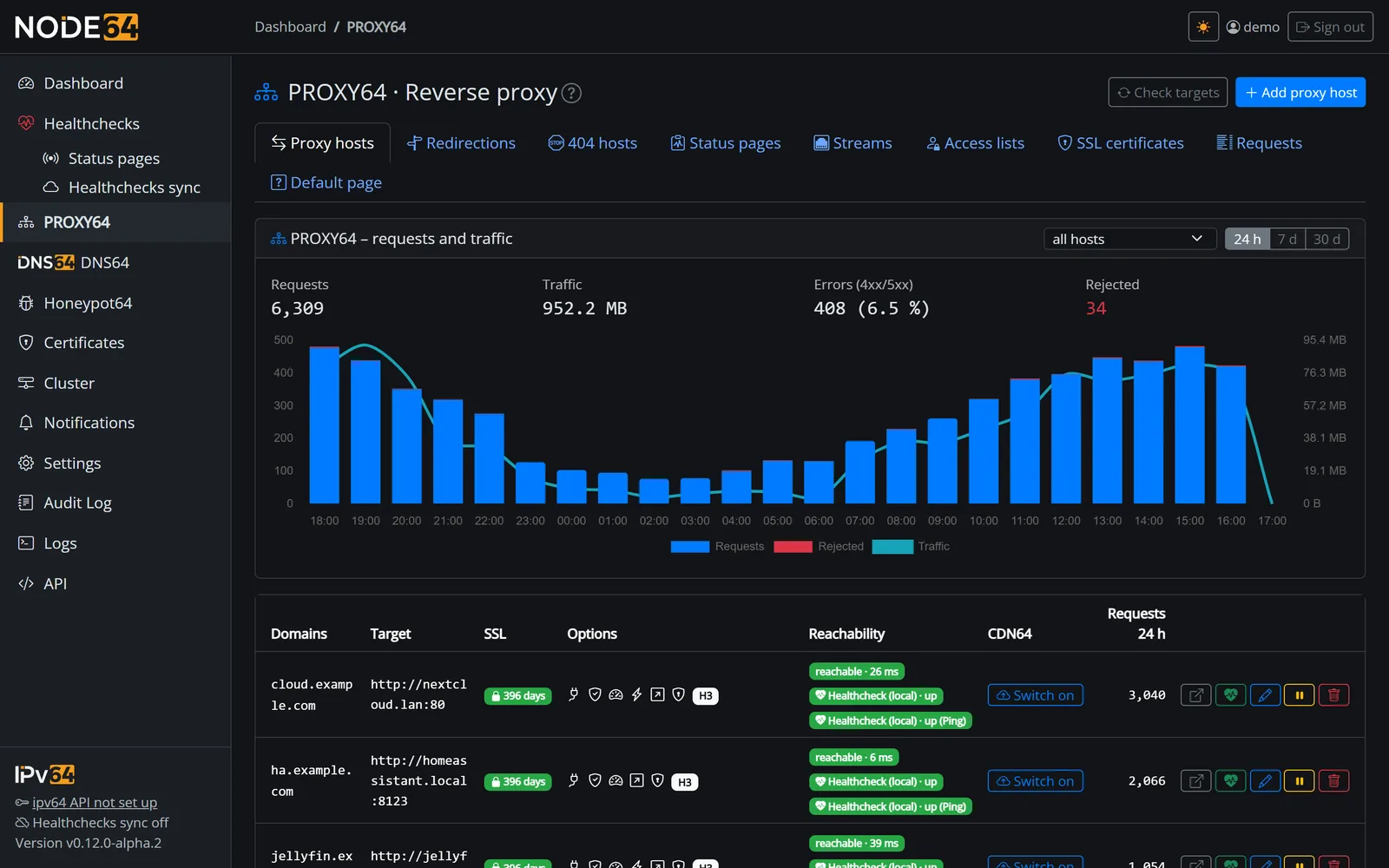
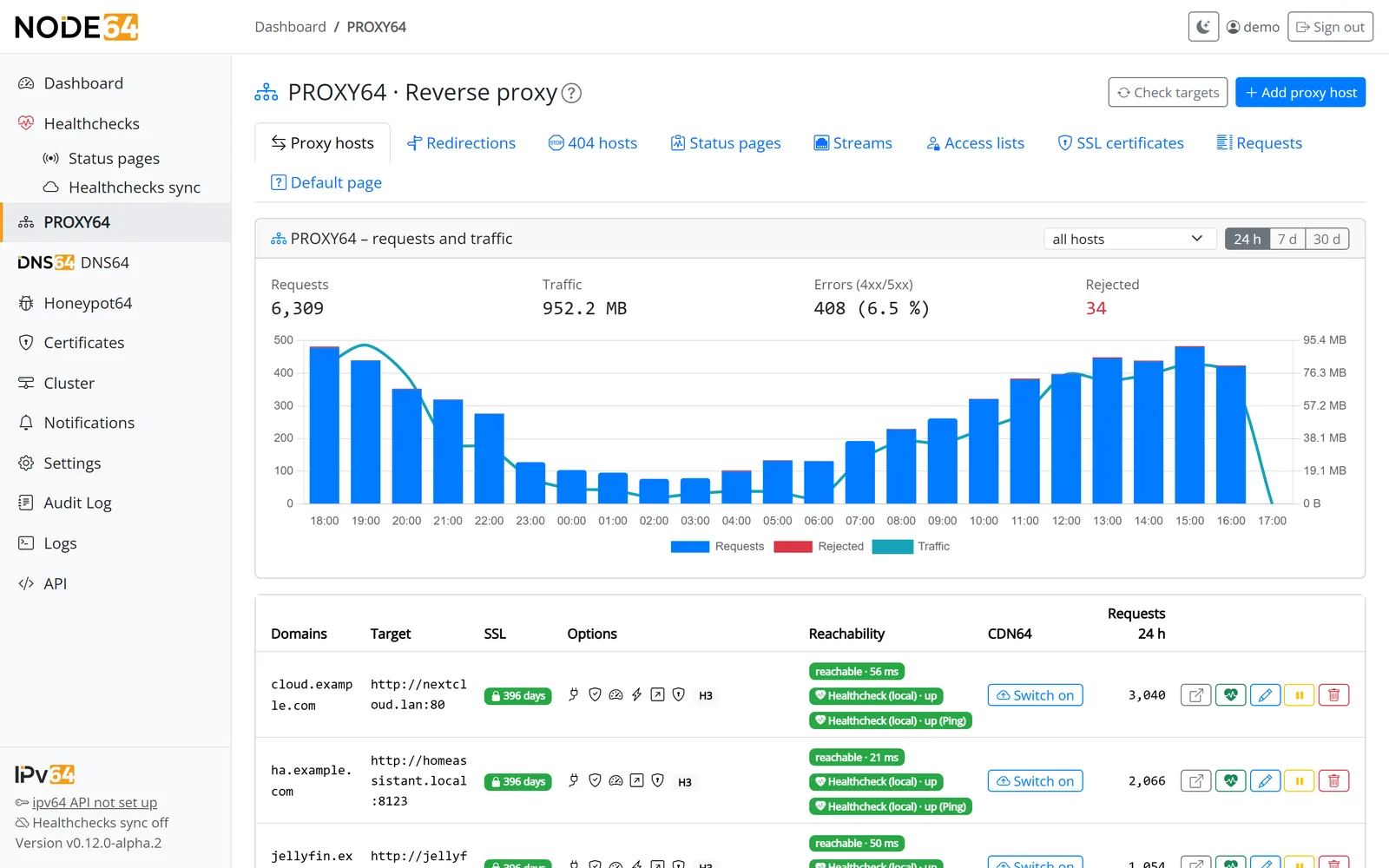
“CDN64” column in the host list: switch on, change mode, state per edge server.
| Information | Mode 1 (passthrough) | Mode 2 (terminate) |
|---|---|---|
| Requested name, visitor IP, data volume | yes | yes |
| Path, headers, cookies with HTTPS | no – encrypted | yes – for forwarding |
| Content (pages, files, passwords) | no – encrypted | only in the servers' memory |
| Certificate and key | stay in your node | the servers' own certificate |
| Protection before your connection | connections per IP, blocklist | plus requests per IP, 429 |
CDN64 and Cloudflare Tunnel
Both bring services online without port forwarding. The difference is where your data travels and where encryption ends.
| Feature | CDN64 with Node64 | Cloudflare Tunnel (typical) |
|---|---|---|
| Server location | Germany (Nuremberg, Falkenstein) | worldwide network of a US provider |
| Where TLS ends | your choice: in your node (mode 1) or at the edge (mode 2) | at the provider |
| Reverse proxy with access lists, limits and statistics | PROXY64 in the same container | additional connector service |
| Setup | one click in the proxy host, with self-test | connector and rules in the dashboard |
| Domain | at ipv64.net (DynDNS or your own domain) | DNS at the provider |
| Protection at the edge | blocklist, per-IP limits, fair throttling, pause per name – plus fine-grained in PROXY64 with Honeypot64 blocks | large network with DDoS protection and WAF |
| TCP and UDP (SSH, WireGuard, games) | port mapper: public port on the edge servers, also through the tunnel | for visitors usually only with client software; public ports on higher plans |
| Caching | in mode 3 on the edge servers in Germany; in modes 1 and 2 every request goes to you | worldwide |
| Cost | depends on your ipv64 account plan | free tier available |
Information on Cloudflare Tunnel is based on general knowledge of a typical setup; features may change.
FAQ
Everything else is explained step by step in the CDN64 docs.
No more port forwarding
Install Node64, create a proxy host, click “Switch on” at CDN64. The public image is coming soon.
Goes well with: PROXY64 as the reverse proxy at home, health checks probe your services from the outside.

