

No more IP spreadsheet.
A list that knows the network.
IPAM64 manages your networks and fixed addresses for IPv4 and IPv6 – prefixes with hierarchy, VLAN and tags, ranges, “next free address”. And it doesn't stop at the list: DNS64 applies it. A fixed address can get its DNS record and DHCP reservation right away.
 ┌────────────────────────────────────────────┐
 │ Node64 · IPAM64                            │
 │ prefixes · fixed addresses · VLAN          │
 └──┬──────────────────────┬──────────────────┘
    │ applies              │ sees
    ▼                      ▼
 ┌────────────────────┐ ┌─────────────────────┐
 │ DNS64              │ │ neighbour table     │
 │ A/AAAA + PTR       │ │ DHCP leases · scan  │
 │ DHCP reservation   │ │ Monitor64 · PROXY64 │
 │ pool exclusion     │ │ health checks       │
 └────────────────────┘ └─────────────────────┘
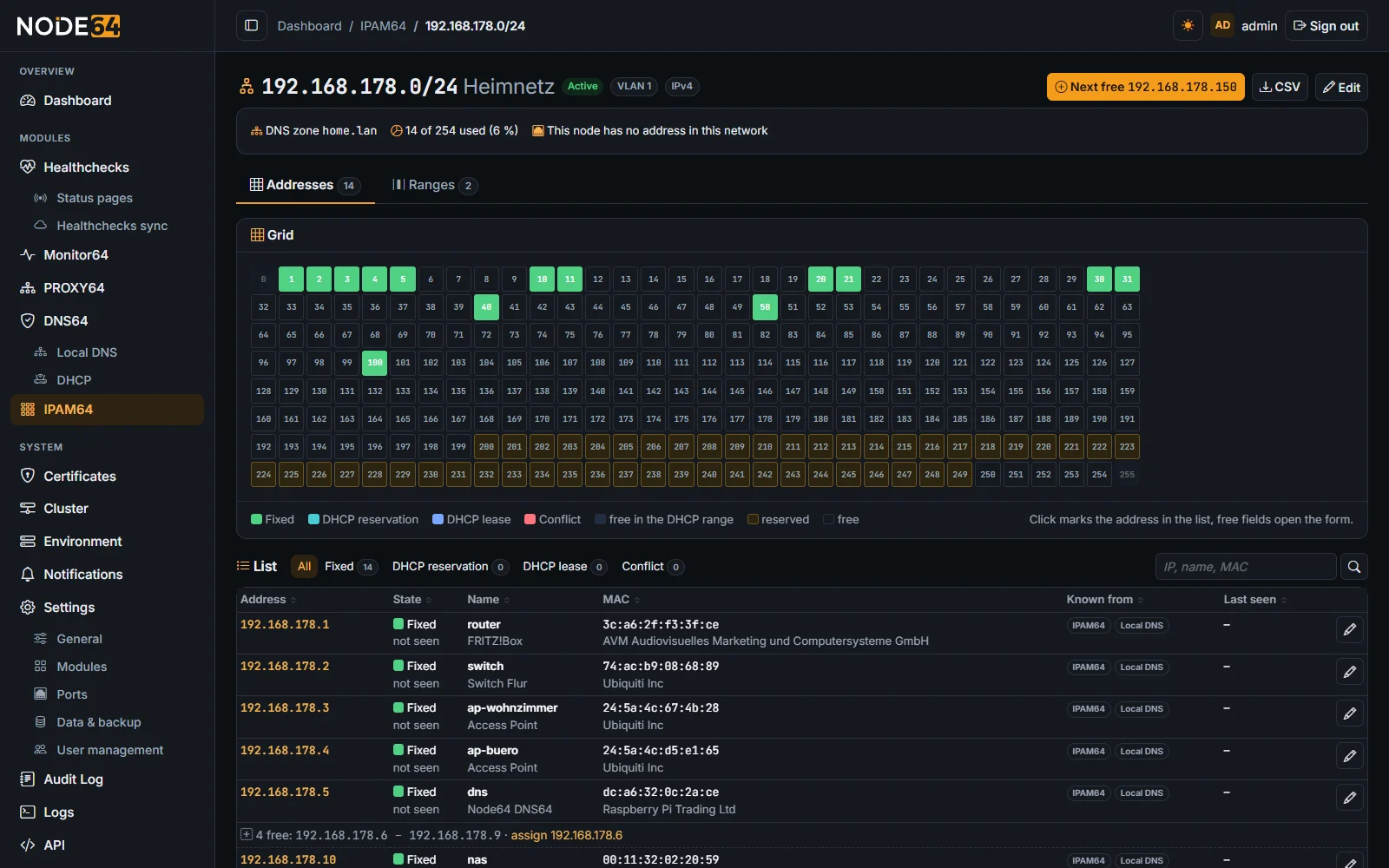
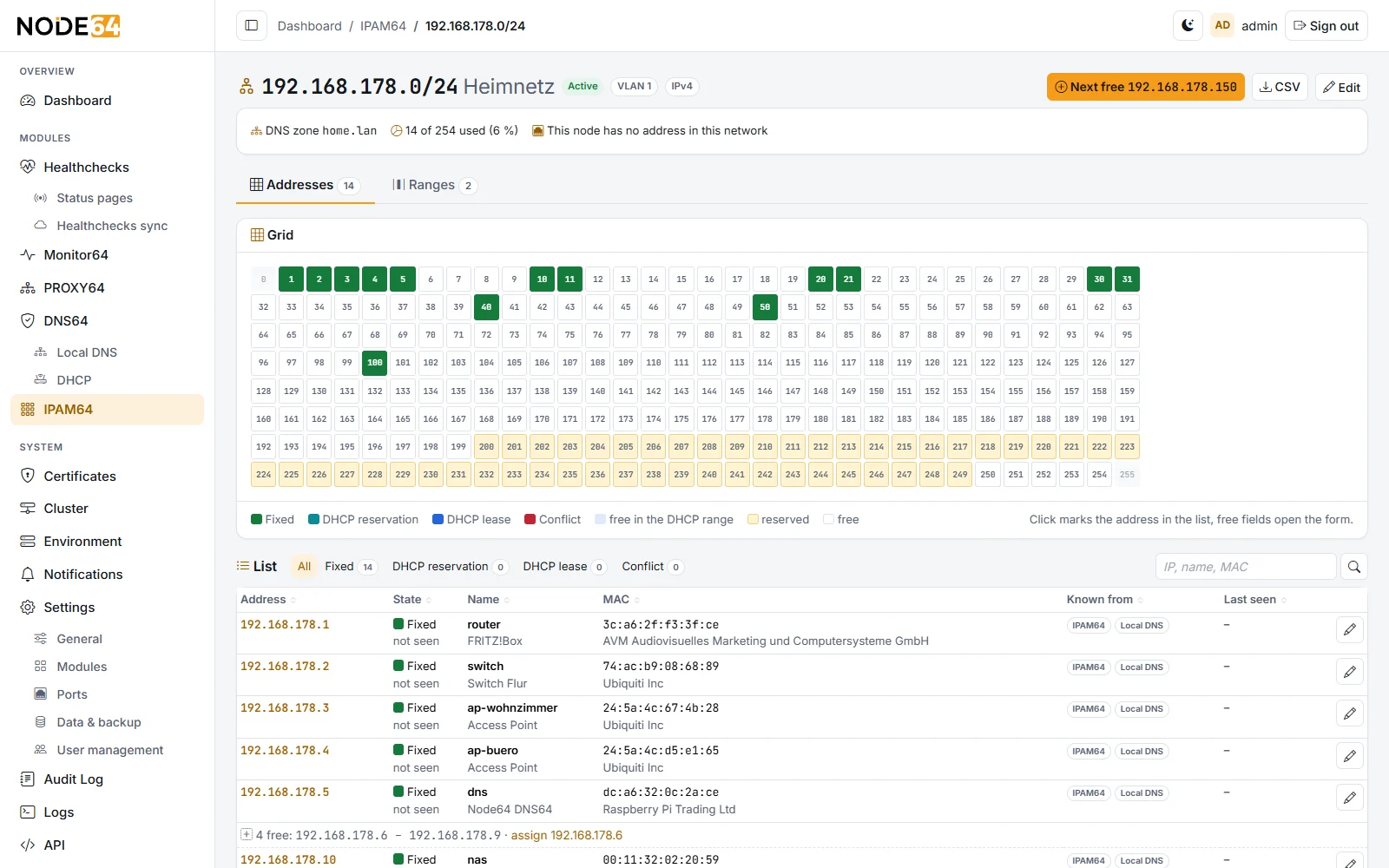
IPAM64 plans, DNS64 applies
IPAM64 is the IP management, DNS64 with its DHCP server and local DNS applies it. You enter an address once – Node64 does the rest.
- Fixed address → DNS:
nas.home.lanas A or AAAA in the local DNS, PTR optional. - Fixed address → DHCP: a reservation of the MAC in the matching network – or, if the address lies in the DHCP pool without a reservation, an exclusion so the server never hands it out.
- One place to change: in DNS64 these entries carry the tag “IPAM64” and can only be changed there. A sync every 10 minutes repairs deviations.
- Each module also runs alone: without IPAM64, DNS64 stays unchanged; without DNS64, IPAM64 is plain IP management.
What IPAM64 does
Only the IP part, as you know it from NetBox – without rooms and racks, but directly connected to DHCP, DNS and what is really on the network.
Prefixes with hierarchy
IPv4 and IPv6, nested; the tree builds itself. Status container, active, reserved or deprecated, plus VLAN, role, tags and DNS zone.
Grid and list on one page
A click in the grid marks the row, filter and search highlight matches in the grid. Large networks and IPv6 get a block overview by usage.
Next free address
In ranges for fixed addresses – with gaps in the list and, via the API, several in one go. Ranges to keep free are excluded.
Set up from existing data
The wizard suggests prefixes from the DHCP networks and the node's networks and takes over fixed addresses and A/AAAA records from DNS64 – tagged, not duplicated.
Scan & conflicts
From leases and the neighbour table (ARP/NDP): duplicate addresses, foreign devices on fixed addresses, leases against fixed addresses and unknown devices with vendor. Optionally a limited network scan.
IPv6 from the provider
A dynamic prefix such as the provider's /56: when it changes, IPAM64 updates prefixes, addresses and AAAA records and names targets in PROXY64, Monitor64 and health checks that still point to the old one.
What is really on the network
Combined from DHCP leases, local DNS, Monitor64, health checks, PROXY64 and the neighbour table – visible on every address.
CSV, API, Prometheus, MCP
CSV import with preview and export, JSON API /api/ipam64, metrics node64_ipam64_* for Grafana and a read-only MCP area for AI tools.
Cluster with standby node
Prefixes, ranges and fixed addresses apply everywhere in the Node64 cluster. The DNS and DHCP entries come via DNS64 – also to the DHCP standby node.
IPAM64 and typical alternatives
Big IPAM tools can do more but need a server of their own. A spreadsheet is quick to start but knows nothing about the network. IPAM64 sits in between – in the container that is running anyway.
| Feature | IPAM64 | IPAM server (e.g. NetBox, phpIPAM) | Spreadsheet or wiki |
|---|---|---|---|
| Prefixes, VLAN, fixed addresses, free addresses | by hand | ||
| DNS record and DHCP reservation from the address | with DNS64, built in | via plugins or scripts | – |
| Conflicts from leases and neighbour table | partly (scan) | – | |
| Follow the provider's dynamic IPv6 prefix | including AAAA | mostly by hand | by hand |
| Racks, rooms, cables | deliberately not – IP only | (NetBox) | by hand |
| Own server and database needed | no, in the Node64 container | yes | no |
| More modules in the same container | DNS64, Monitor64, health checks, PROXY64 … | – | – |
Information on the alternatives based on general knowledge for a typical installation; features may change with new versions.
Frequently asked questions
Everything else is explained step by step in the IPAM64 docs. Questions and wishes are welcome in the v64.tech forum.

