Your homelab.
Monitored, protected, reachable.
Node64 is the control centre for your network: health checks with status pages as a modern Uptime Kuma alternative, a reverse proxy with Let's Encrypt and a CDN tunnel as a Cloudflare alternative, a DNS filter with DoH/DoT, DynDNS and a honeypot that locks out attackers together with the community – all in a single Docker container.
docker run -d --name node64 \
  -p 8080:8080 \
  -v node64-data:/data \
  --restart unless-stopped \
  ghcr.io/ipv64net/node64:latest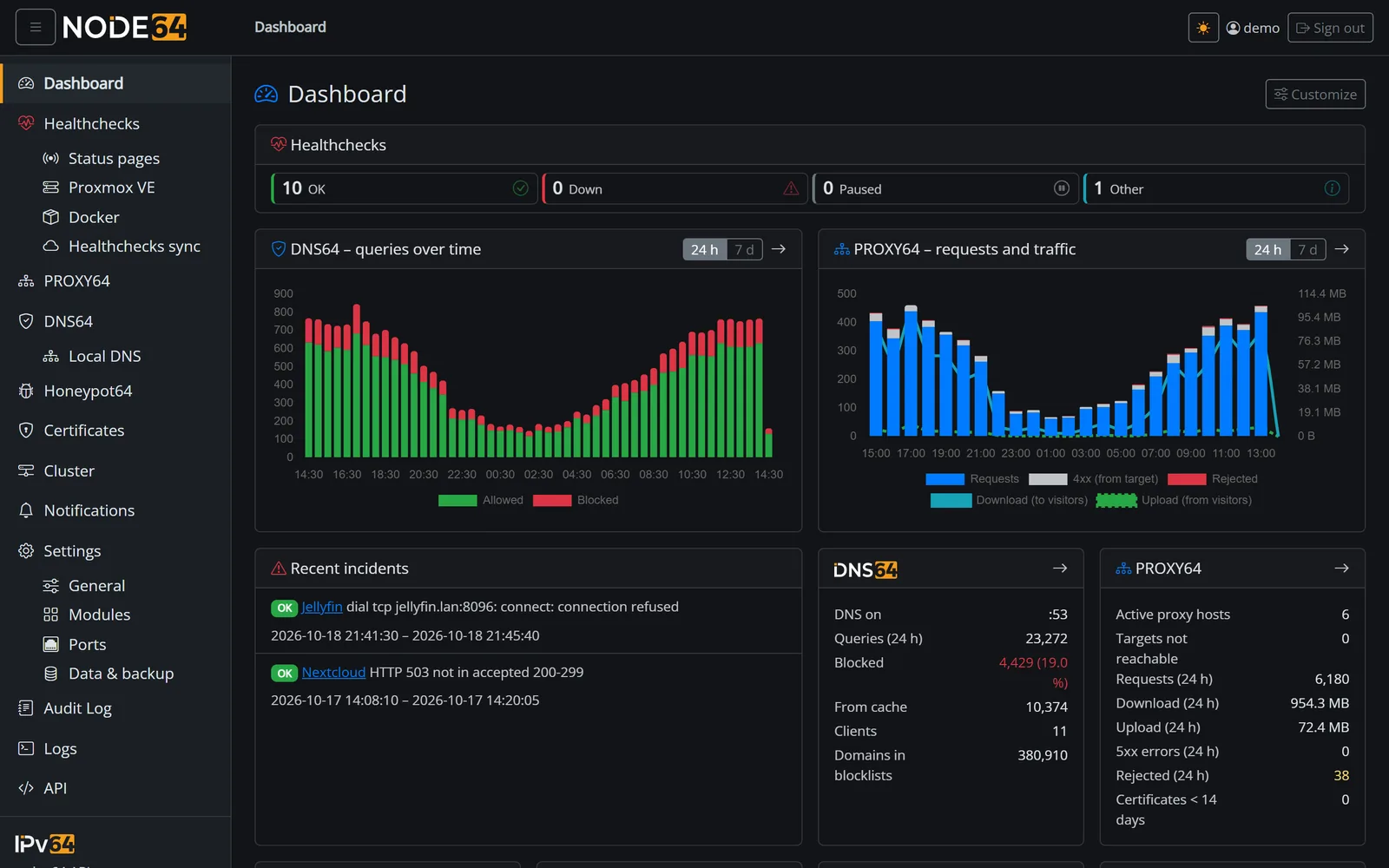
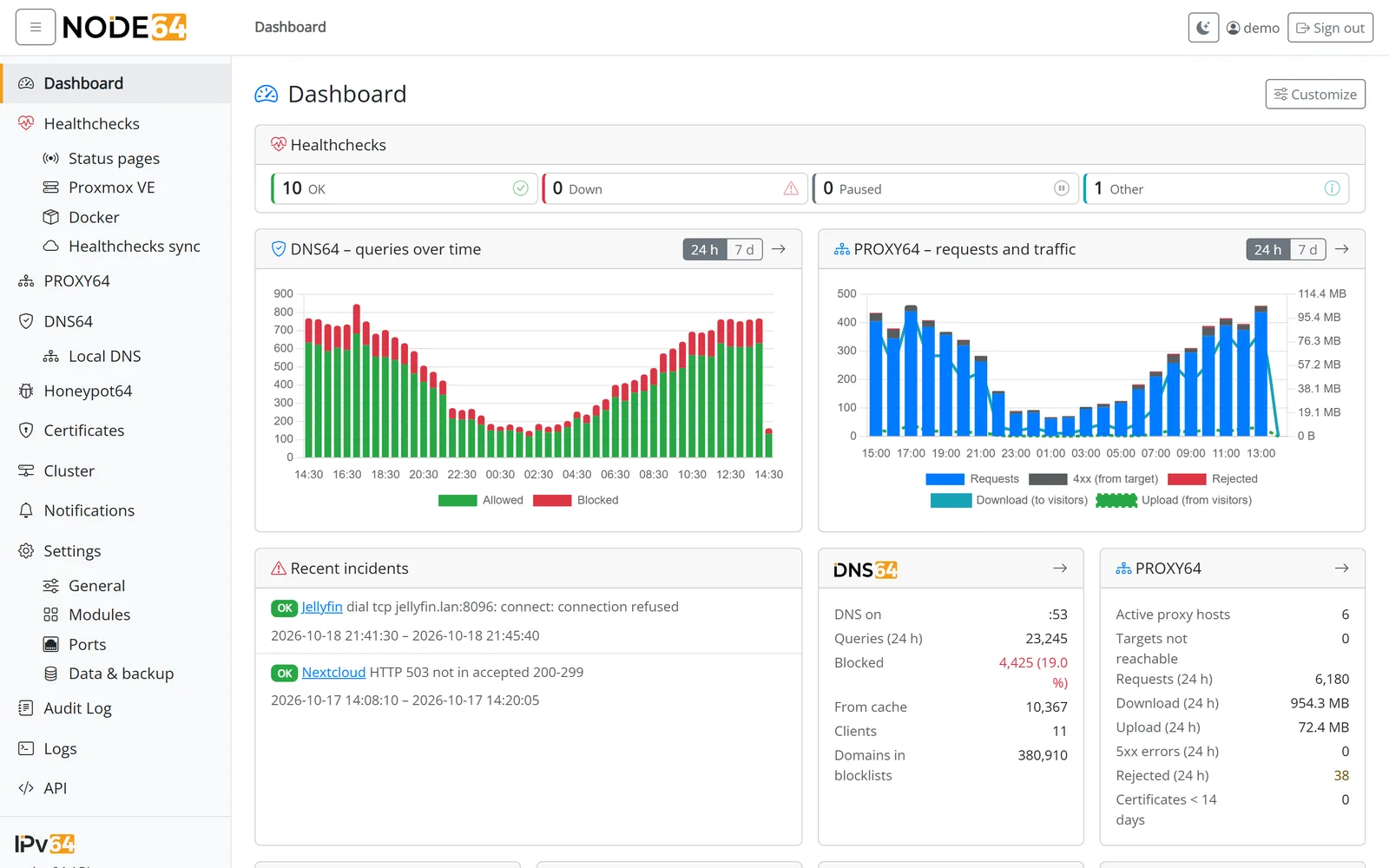
Five modules. One container.
Instead of maintaining Uptime Kuma, Nginx Proxy Manager, Cloudflare Tunnel, Pi-hole, a DynDNS script and a honeypot separately, just switch on what you need in Node64. One interface, one login, one backup – and everything works together.
Plus, for every module: central certificate management, SSO & passkeys, a JSON API and Prometheus metrics.
Modules that help each other
Node64 is more than five programs in a box. The modules know each other and work hand in hand – that saves work and makes your network safer.
Honeypot → PROXY64
If an IP stands out in a trap, PROXY64 blocks it at once for all hosts – without waiting for a list.
Community → everyone
The reports of many sensors form the v64 Blocklist. PROXY64 and your firewall use it with one click.
Health checks → status page
Your checks become a public status page – on your own domain via PROXY64, optionally via CDN64.
PROXY64 → health checks
Every proxy host shows whether its target is reachable. One click creates the matching health check.
Certificates for all
Let's Encrypt once, centrally – for PROXY64, DNS64's DoH and DoT, status pages and via API for NAS and Proxmox.
DNS64 via PROXY64
DNS-over-HTTPS shares port 443 with your web services – PROXY64 passes it through.
DynDNS64 → early warning
If your own IP stands out as an attacker – say a hijacked device –, Honeypot64 tells you.
One notification system
Outage, new attacker, certificate expiring, IP changed: one channel, one quiet time, no duplicates.
Strong locally. Even stronger online.
Node64 runs entirely inside your network – no account, no cloud, even when the internet is down. Connect it to your free ipv64.net account and you add the outside view:
- Checks from the outside: ipv64.net also checks your services from the internet – and tells you when your whole connection is offline.
- Online without port forwarding: CDN64 publishes services through an outbound tunnel, even behind DS-Lite and CGNAT – with Business over two and with Company over four parallel connections per server.
- Protected together: honeypot reports from many nodes become the v64 Blocklist – for you and everyone else.
- Everything in one place: checks, domains and alerts are also available in the ipv64.net portal.
  # Your network                              # Internet
 ┌─────────────────────────────────┐
 │  NAS · Proxmox · Home Assistant │◄─┐
 │  Nextcloud · Router · Printer   │  │ checks locally
 └─────────────────────────────────┘  │ (even offline)
                                      │
               ┌──────────────────────┴─┐  outbound,      ┌──────────────────┐
               │        Node64          │  encrypted      │    ipv64.net     │
               │ Health checks · PROXY64│ ══════════════► │ outside checks   │
               │ DNS64 · DynDNS64       │  no open ports  │ portal           │
               └────────────────────────┘                 │ CDN64 edge (DE)  │
                                                          └──────────────────┘
Several nodes. One picture.
Node64 on the Raspberry Pi, on a VPS and at your parents' place? Connect them into a cluster – the nodes sync directly with each other, even across networks, always encrypted via HTTPS and without an extra port.
 ┌─────────────┐  HTTPS  ┌─────────────┐
 │ Node64      │◄───────►│ Node64      │
 │ home        │         │ VPS         │
 └──────┬──────┘         └──────┬──────┘
        │        HTTPS          │
        │   ┌─────────────┐     │
        └──►│ Node64      │◄────┘
            │ parents     │
            └─────────────┘
Choose per module
Health checks, notifications and certificates – set up once, use everywhere. One switch per area; PROXY64 and DNS64 will follow.
With ipv64.net
Health checks also run via the ipv64.net servers – with online measuring points and the portal. The cluster is a second, direct path.
No account needed
Without an ipv64 account the cluster runs entirely locally – health checks included, with their own evaluation and notifications.
Resilient
If a node fails, the others take over notifications – without duplicates. After 5 minutes you get an alert, and once it's back everything is caught up.
Your status. Public, yet discreet.
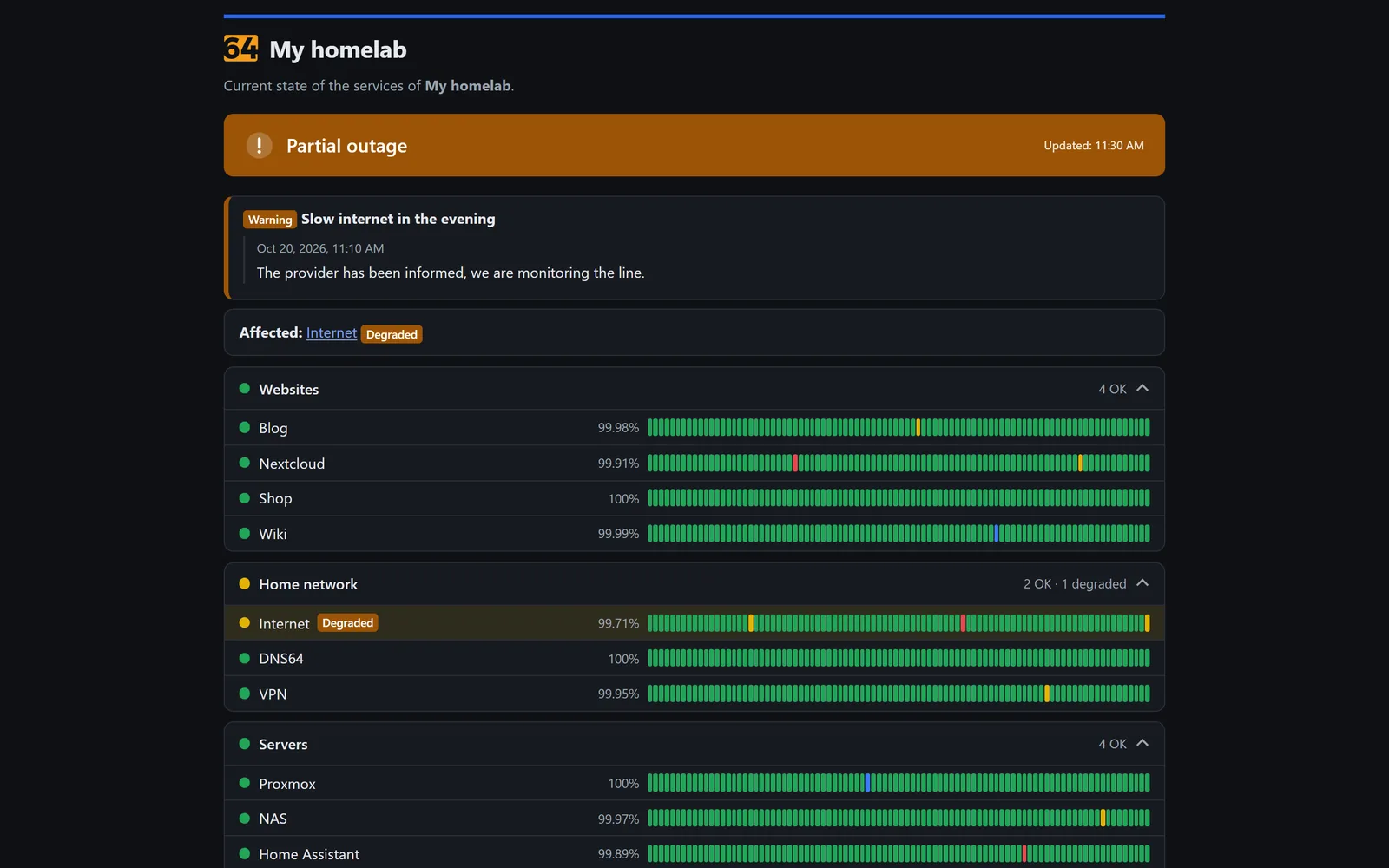
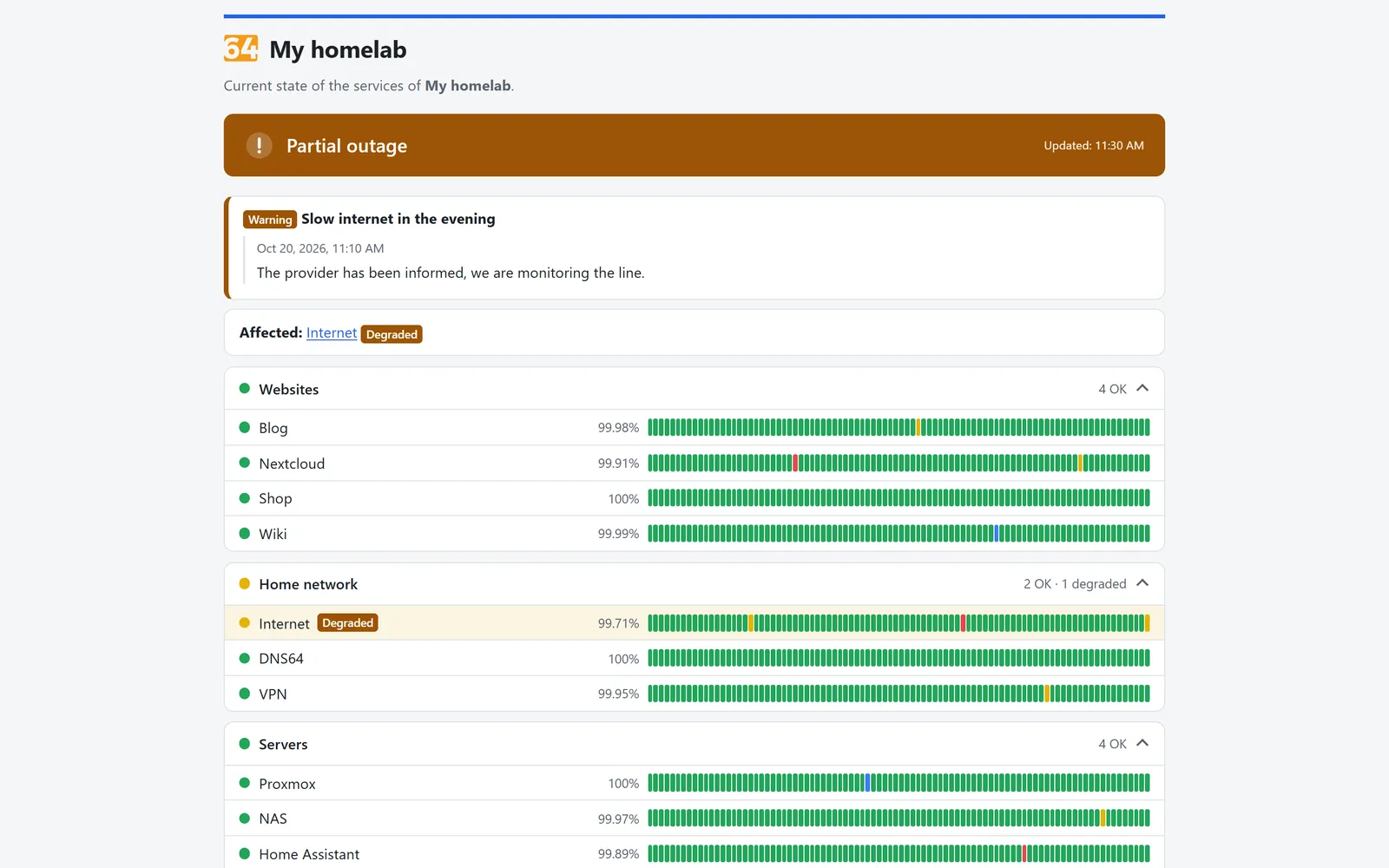
Turn your health checks into a public status page in a few clicks – right on your node, or on your own domain via PROXY64 and CDN64 if you like.
- Daily bars for 30, 60 or 90 days; incidents and maintenance show up on their own.
- Tiles for the wall monitor or compact for embedding – with your own logo.
- Badges and status.json for READMEs, wikis and Home Assistant.
- No access to targets or IPs: visitors only see names, state and availability.
One sees the attack. Everyone is protected.
Honeypot64 sets up traps that lure attackers. If you like, your node reports them to ipv64.net. Only when several independent accounts see the same IP does it make the v64 Blocklist – which then protects PROXY64, firewalls and routers of all users. The more people join, the earlier an attacker is on the list before reaching you.
- Traps for everything bots attack: SSH, web logins, mail, databases, RDP, VNC, MQTT, SNMP, SIP – and baits for FRITZ!Box, NAS, Proxmox & co.
- Real logs and syslog of your services, routers and firewalls – only IP, kind and count are stored.
- Instant block in PROXY64 and a firewall helper for nftables.
- Small: 30–50 MB RAM, even on Raspberry Pi and MikroTik routers.
Your data. Your network. Servers in Germany.
Sovereignty isn't an add-on, it's the core idea: Node64 runs with you, and everything that comes online on top via ipv64.net stays in Germany – from the tunnel to outside checks to the community blocklist.
Local first
Database, measurements, logs and keys live on your node. Everything also runs without an account and without internet.
ipv64.net from Germany
Operated from Mülheim an der Ruhr, servers in Germany, GDPR. Outside checks from Nuremberg and Falkenstein.
No US cloud needed
CDN64 instead of a third-party tunnel, mail and SMS via ipv64 instead of a push service abroad, no telemetry.
Openly documented
Every outgoing connection is in the docs – including the third-party services you choose yourself, with alternatives.
Why Node64?
Built for people who want to run their own network – without juggling five tools, five updates and five logins.
Light & fast
A single Go binary with SQLite – no database containers, no runtime dependencies. Feels right at home on a Raspberry Pi.
Your data stays yours
Everything runs locally. Secrets such as tokens and keys are stored encrypted in the database. Connecting to ipv64.net is optional.
Secure by default
No default password, two-factor login, passkeys, single sign-on with Authelia, Authentik or Keycloak and a complete audit log.
Alerts without the noise
E-mail, Telegram, Discord, Slack, Microsoft Teams, Matrix, ntfy, Gotify, Pushover and webhooks – with flapping detection, grouped alerts and quiet hours.
API & Prometheus
Everything the interface can do is also available through a JSON API with an OpenAPI description. Metrics for Prometheus and Grafana included.
English & German
Interface, alerts and docs in both languages, light and dark mode, and a dashboard you can rearrange with drag & drop.
One container instead of many
What you would otherwise piece together from several projects comes as one consistent package with Node64.
| Task | Node64 | Usually |
|---|---|---|
| Uptime monitoring with history | Health checks | Uptime Kuma |
| Public status page on your own domain | health checks + PROXY64 | Uptime Kuma + reverse proxy |
| Outside checks when your connection fails | with ipv64.net | second instance at a hosting provider |
| Reverse proxy with Let's Encrypt | PROXY64 | Nginx Proxy Manager |
| Publish services without port forwarding | CDN64 | Cloudflare Tunnel |
| DNS filter with blocklists, DoH and DoT | DNS64 | Pi-hole / AdGuard Home |
| DynDNS for IPv4 and IPv6 | DynDNS64 | router or script |
| Central certificates – also for NAS, Proxmox & co. | built in | certbot + scripts |
| Sync several instances directly – even without a cloud | Cluster | usually not built in |
| Honeypot and shared blocklist | Honeypot64 + v64 Blocklist | T-Pot, CrowdSec |
| Lock out attackers automatically – in the proxy and the firewall | PROXY64 + firewall helper | fail2ban, bouncers |
| One login, one backup, one update |
Up and running in three steps
- Start the container
Withdocker runor Docker Compose – on Linux, a NAS, Proxmox or a Raspberry Pi. - Run the setup wizard
Openhttp://<host>:8080, choose your language, create the admin account. There is no default password. - Switch on modules
Health checks, PROXY64, DNS64, DynDNS64 or Honeypot64 – optionally linked with your ipv64.net API key.
services:
  node:
    image: ghcr.io/ipv64net/node64:latest
    container_name: node64
    restart: unless-stopped
    ports:
      - "8080:8080"
    volumes:
      - node64-data:/data
    environment:
      NODE64_LOG_LEVEL: info
volumes:
  node64-data:
The public image is coming soon. For DNS64 and PROXY64 we recommend host networking – details in the installation guide.


Made by ipv64.net
Node64 is the official container by ipv64.net – the free DynDNS and DNS service from Germany. With an account you also get:
- DynDNS domains and your own domains with full DNS management
- Online health checks from multiple locations
- CDN64 with edge servers in Germany
- The v64 Blocklist from the community's honeypot reports – live for everyone who joins in
- More quota with the account plans – or simply start for free
Ready for your new homelab cockpit?
Install, create the admin account, get going. The docs guide you step by step – from the first check to the CDN tunnel.

